Choosing the Right Projection Screen
A lot of research goes into deciding on a projector, but the selecting a projection
screen is just as important in terms of the impact it can have on your image
quality. The wrong
projection screen
can make images look terrible. But the
right one enhances the contrast, brightness, and sharpness of images and can
lead to less eyestrain for the viewer. There are a lot of different type of
projector screens out there, some made for a specific types of projectors and
some that can be used with any type of projector.
How do you determine the best screen for the classroom, lecture hall, auditorium,
or meeting room? The size, the fabric, the style, the proportion, rear versus
front, as do the specifications of the projector itself. Here are some considerations.
Choices
Which screen to select is probably the easiest of the decisions. The choices:
permanent or portable, tensioned or not, manual or electric, and rear projection.
Manual pull down or Electric?
Manual pull down screens
are typically the least expensive and are often called
“entry level”. They are simple, reliable, and affordable. They present
a straightforward, flat projection surface that can be rolled up when not in
use. Manual pull down projection screens are often found in classrooms but are
also perfect for sanctuaries or large meeting halls.
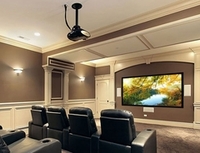
You can add the finesse factor to your presentation by purchasing an electric
screen that can be wall, ceiling or in-ceiling mounted. The added appeal of
an impressive large drop-down
screen enhances the “wow” factor with
its automatic operation, and provides a simple “one touch” operation
so you reach your audience without missing a beat.
Some other important considerations include:
- Tension: A screen without tension cost less, and the screen
hangs freely and is subject to movement due to the airflow in the room. A
tension mechanism keeps the screen in place.
- Retraction (electric versus manual): Electric, while more
expensive, is more convenient, and it is also less hassle than trying to pull
a screen to the correct angle to lock it into position.
Fixed frame or Portable?
A fixed frame screen is best for a dedicated spot where installing a retractable
screen is not practical. It stays in place and provides a flat surface with
great image clarity.
Fixed-frame screens
are more likely to be used in a lecture
hall than a classroom, since the lecture hall screen isn't as exposed to traffic.
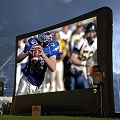
Retractable and fixed frame screens are also available for presentations where
an installed screen is impractical. Portable screens
give you the option of
having a presentation surface that can be up one moment and gone the next.
Front or Rear Projection Screens?
For most purposes, a front projection screen is the right choice because it
can fit into any room without the need to build a projection booth. No matter
what your lighting levels, the effects of ambient light will be reduced, producing
images of better contrast. Rear projection screens are used when you mount the
projector behind the screen. Rear projection screens are popular for a number
of reasons; they are excellent at handling ambient light, they tend to be quite
bright, the projector is hidden out of view, they tend to deliver brighter images
allowing your audience to take notes and your speaker to maintain eye contact
with audience members and because the projector is behind the screen there is
no noise from the projector.
Screen Size: Is Bigger Always Better?
Bigger is not always better! The size of the screen depends on a few factors:
size of the conference room, chapel or classroom; the size of your audience;
and the amount of ambient light you’ll have in the room. Using a large
screen in a small congregation hall could be overwhelming to some. An image
that's too large for the space is hard on the eyes and strains the neck as the
head turns from side to side to view information.
Too small of a screen means text is hard to read. The idea is to have a comfortable
vantage point from all seats. Getting the right size, format and style is important.
The wrong size can also negatively impact viewing angles. Begin by working with
the projector to position it (or adjust the zoom) or provide the best sized-image
for the particular audience size and seating arrangement.
Aspect ratio is another size consideration. A 4:3 for many years have been the
standard for presentations, such as PowerPoint-based material. But 16:9 and
16:10 widescreen are gaining in popularity with the increased use of high definition.
So another consideration in choosing a projection screen is whether to buy 4:3
or a newer widescreen aspect ratio.
Screen Surface
The screen's gain is one of the basic differences between screens. The gain
is how much light reflectivity a screen delivers. Screens with higher gain deliver
brighter images. The gain is a measurement found in all projection screens,
but the screen material will vary greatly from manufacturer to manufacturer.
Some of the basic screen materials are fine for any environment where the light
can be controlled. Other screen materials may be designed for areas with high
ambient light or for different projectors such as a DLP or LCD, and some are
designed to accommodate high definition resolution and even 3D. Some screens
are good for data, but others are designed just for video.
Color Choices
The two most common choices of screen color are white or gray. White is the
most common and the most versatile. Gray screens, however, can make up for a
projector's shortcomings in contrast levels and can provide deeper blacks.